Case study
Vybemovies
An AI-powered movie discovery application, live at vybemoves.com. Search in natural language, then refine what to watch through taste, lists, and where to watch.
- AI
- Search
- Recommendations
Overview
Find a film from a feeling
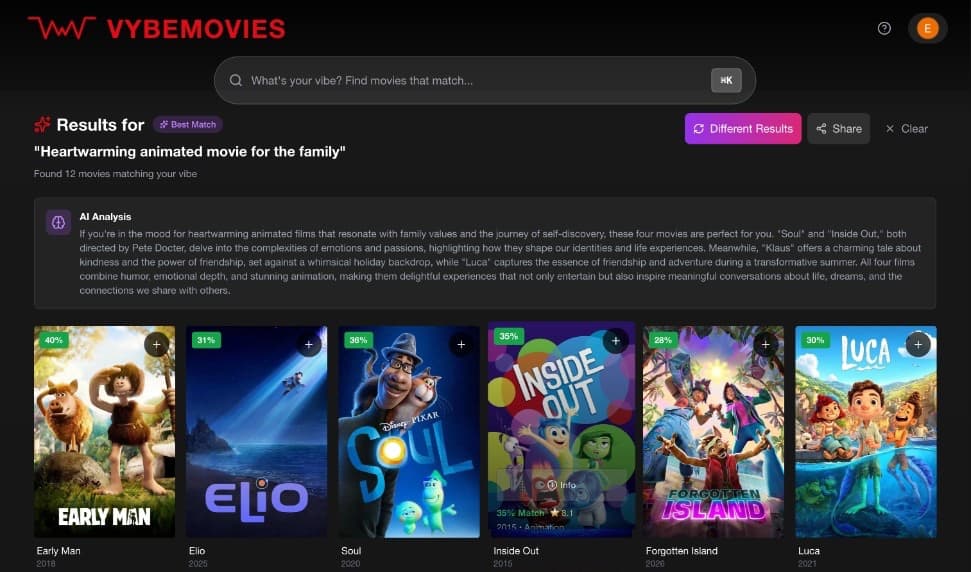
Vybemovies is a movie discovery product I built for the moment you know the mood and not the title. A normal search works when you already know the title, the actor, or the genre. It is much worse when you only know the feeling. It is live at vybemoves.com.
People rarely start a movie night with the right query. They start with a limit, a tone, or something they want to avoid. The product has to understand that, find films that fit, and let taste change what comes next.
Problem
Lookup is not discovery
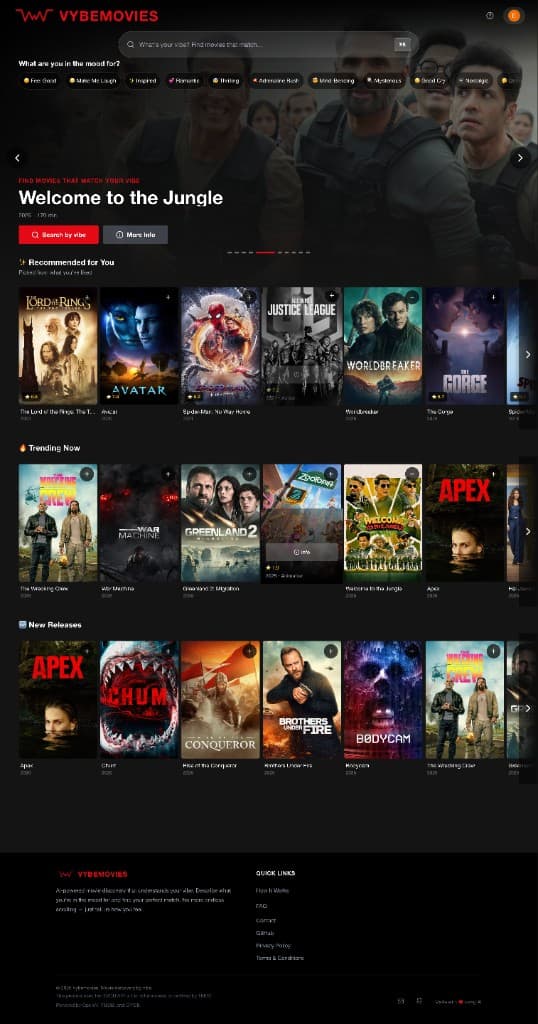
Someone can know the experience they want and still have no title in mind.
Something dark and cerebral, but not depressing.
That sentence asks for a mood and rules something out. The request can also include themes, an era, pacing, or a genre, often several at once. A keyword search turns it into a broad bucket, such as thriller or drama, and misses the part that mattered.
Product
From a sentence to something worth watching
Someone types a sentence. The product has to come back with a film they might actually watch.
Natural-language movie search
Ask in a sentence, the way you would ask a person.
Semantic search
Matches meaning and intent, not only titles and keywords.
Voice search
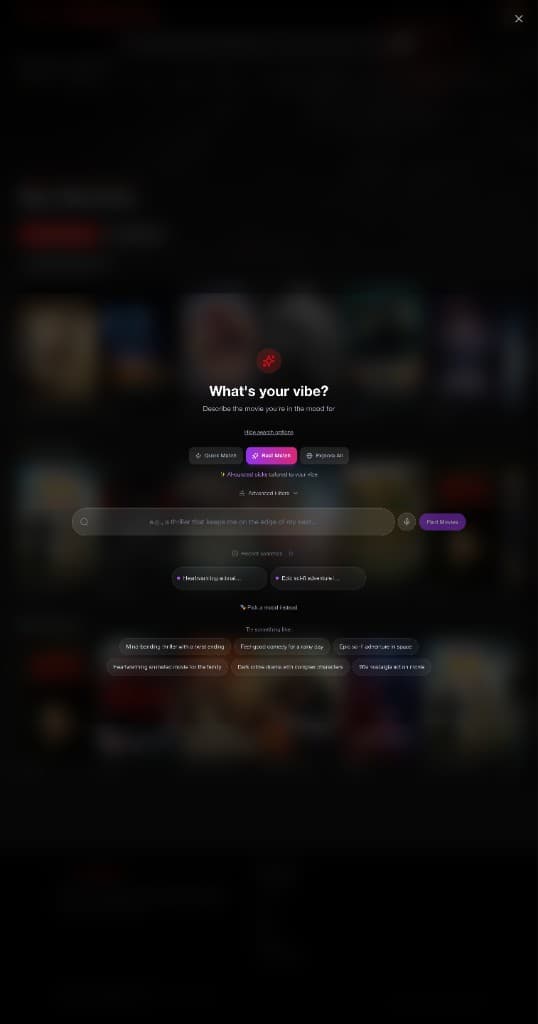
Speak the request. OpenAI Whisper transcribes it, in every search mode.
Mood browse
Precomputed rows for a feeling, including eighteen moods, so browsing one does not call the model.
Why this result
A signed-in pick can say why it appeared, such as because you liked a title.
Surprise Me
A signed-in pick from well-rated films that match the taste profile, excluding titles already seen, liked, or disliked.
Likes and dislikes
Direct signals for what to show more of, and what to leave out.
Personalized recommendations
Results that can change as a taste profile takes shape.
Taste profiles
A picture of preference built from the signals you give.
Watchlists
Saved is the watch-later list. Watched titles stay out of recommendations unless they are also rated or liked.
Custom collections
Groupings you define, beyond a single watchlist.
Movie metadata
People, genres, and release context alongside the title.
Trailers
A way to check tone before committing to a film.
Where to watch
Availability information next to the recommendation.
Search strategy
Three ways to trade depth for speed
The same query can take more than one path. Which path runs is a product decision: how much relevance is worth the latency and the cost before the system answers.
Quick Match
Fast. One query against 571 indexed films.
Semantic search only, about 100 milliseconds. No language-model pass.
Best Match
Smart. Multi-query retrieval, then GPT-4o-mini.
About one to two seconds. The model reorders the survivors and is not folded into the ranking weights.
Explore All
Hybrid. Local search plus live TMDB. Sign-in required.
About half a second across 900,000+ films. Local similarity counts more than the live catalog search.
Quick Match, Best Match, and Explore All are the fast, smart, and hybrid paths. Quick Match searches for meaning and stops there, so it can answer quickly. Best Match takes those candidates and asks a language model to reorder them. Explore All keeps the meaning and adds catalog facts, filters, and the live catalog. The diagram is the part they share, and then the split.
Technical architecture
How a query becomes a ranking
- 01
User Query
A typed or spoken request, including open-ended intent.
- 02
Query Processing
A rule-based pass labels the intent as similarity, person, genre, mood, or general, and pulls out titles, people, genres, years, and quality filters. It does not call a language model.
- 03
Embeddings
OpenAI text-embedding-3-large turns the query into a vector.
- 04
PostgreSQL / pgvector semantic retrieval
Similar titles are retrieved from the vector index.
- 05
Candidate Generation
Retrieval returns a set large enough to rank and small enough to judge.
- 06
Metadata / Filtering
Catalog facts, including data from TMDB and OMDB, constrain the set.
Quick Match
Fast. One query against 571 indexed films.
Semantic search only, about 100 milliseconds. No language-model pass.
Ranked Results
The list a person actually sees, ready for trailers, metadata, and where to watch.
Best Match
Smart. Multi-query retrieval, then GPT-4o-mini.
About one to two seconds. The model reorders the survivors and is not folded into the ranking weights.
LLM Reranking
GPT-4o-mini returns a best-to-worst order of the survivors. That score is not mixed into the weights. Quick Match and Explore All skip this pass.
Personalization
For a signed-in person, likes and ratings update a taste vector, with more recent likes weighted more. Dislikes are hidden. Smart mode applies this after reranking.
Ranked Results
The list a person actually sees, ready for trailers, metadata, and where to watch.
Explore All
Hybrid. Local search plus live TMDB. Sign-in required.
About half a second across 900,000+ films. Local similarity counts more than the live catalog search.
Ranked Results
The list a person actually sees, ready for trailers, metadata, and where to watch.
Technology
- React
- FastAPI
- PostgreSQL
- pgvector
- OpenAI embeddings
- LLM reranking
- TMDB
- OMDB
- Railway
Product decisions
The tradeoffs inside the ranking
Relevance vs latency
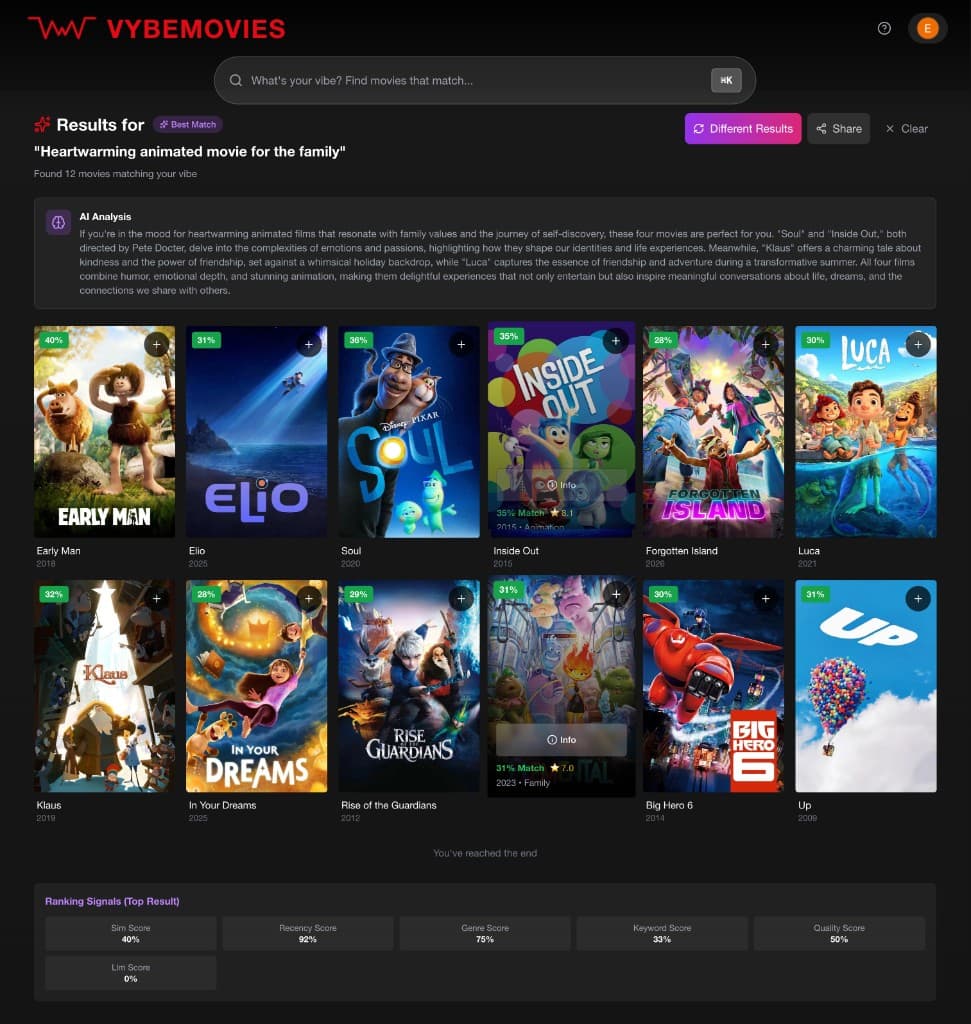
Three modes ship together. Quick Match stays on one query. Best Match adds multi-query expansion and GPT-4o-mini reranking. Explore All searches the wider catalog with intent-specific retrieval. The person chooses how long the answer may take.
Quick Match vs Best Match
Quick Match trusts the vector index and does not call the chat model. Best Match spends a language-model pass on distinctions an embedding can miss, including a request not to be depressing. Both are available; neither is hidden.
Semantic retrieval vs metadata constraints
Intent detection extracts year ranges and quality filters before the query is embedded. Explore All requires sign-in and mixes the 571-film index with live TMDB search across 900,000+ films.
Personalization
Likes and star ratings update a taste vector, with more recent likes counted more heavily. Dislikes are removed from results. Watched titles stay out of recommendations unless they are also rated or liked. In Best Match this pass runs after reranking.
Cold start
Search, mood browse, and the public rows work without an account. Surprise Me and the Recommended for You row wait until someone is signed in and has a taste vector.
Ranking
Best Match is four stages: retrieve, rank, LLM, then personalize. The rank stage weights similarity 45%, genre 18%, quality 15%, recency 12%, and keywords 10%.
Recommendation quality
Surprise Me only picks from well-rated films that match the taste profile. Mood rows are precomputed so a feeling can be browsed without a fresh model call.
Evaluation
Quality has to be tested, not assumed
A plausible film is not a good result. Quality is whether the ranking fits the intent, and that has to be tested before and after a change ships. Scores and experiment readouts are not published.
- 01
Query set
A fixed collection of intents, including ones that are hard to phrase as a title or a genre.
- 02
System results
The films the current retrieval and ranking actually return.
- 03
Relevance evaluation
A judgment of whether each result fits the intent. A person can make it, and so can a language model used as a judge.
- 04
Ranking metrics
NDCG, precision, recall, and MRR describe the ordering. Scores are not published here.
- 05
Failure analysis
Where a result missed the mood, a constraint, an exclusion, or the person's taste.
- 06
Product and model changes
Retrieval, ranking, reranking, metadata, or the experience changes because of what failed.
- 07
Re-evaluation
The same query set is run again. Evaluation stays inside product development.
The same queries are run again after a change. That is how the product gets better, not a report written at the end.
Offline evaluation
Changes to retrieval and ranking can be checked against a fixed set of queries before anything ships.
NDCG, Precision, Recall, and MRR
Ranking and retrieval metrics used with ground-truth evaluation. Scores are not published here.
LLM-as-judge
A language model scores how well a result set fits the intent of the query, alongside the offline metrics.
Search quality analysis
Review of where semantic retrieval, metadata, and reranking helped, and where they missed the intent.
Online experimentation
A/B testing on the live product when a change is ready to meet real use.
Building
What the build made concrete
What the build forced
Once a query had to come back as films someone might watch, I had to choose what was good enough, how fast it had to be, what it cost, and what to leave out.
What is public
Vybemovies is live at vybemoves.com. Usage, retention, and experiment scores are not published here.
Where it started
An earlier version retrieved with FAISS over MovieLens, ranked with several signals, and explained results in a Streamlit app. The current product is the React, FastAPI, and PostgreSQL system above.
Try Vybemovies
Live at vybemoves.com. Search, recommendations, and the feel of discovery are easier to judge in the interface than in a write-up.